Best Value Wireless Mouse 2026: 7 Picks, $15 to $118
7 wireless mice from $15 to $118 compared: battery (24 months on the M720), ergonomics and software. MX Master 3S wins; the $42 M720 is the value pick.
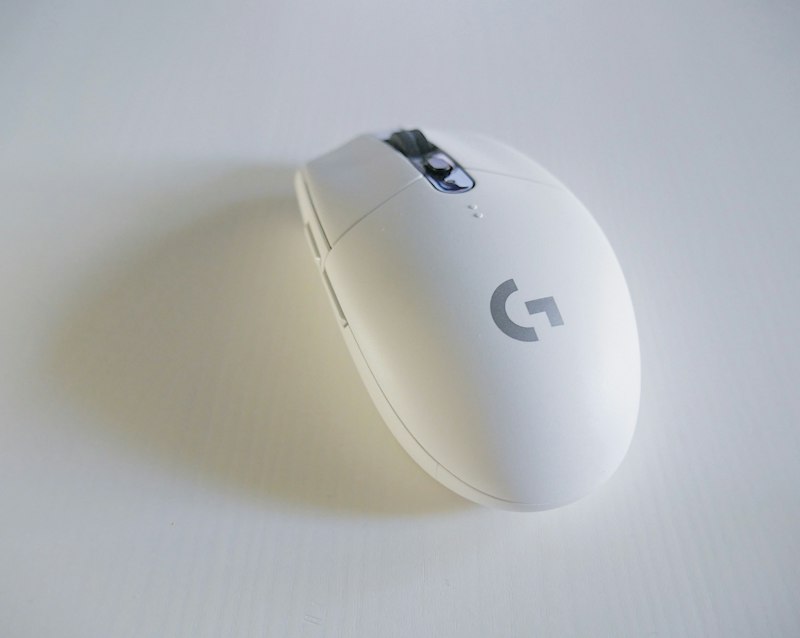
The mouse is where you notice the difference between spending well and spending poorly. A bad mouse causes wrist pain after 6 months; a good one lasts 5 years with smooth scroll and battery that won’t quit. These are the 7 best wireless mice for value in 2026.
Quick comparison
| Mouse | Price | Connectivity | Battery | Best for | Rating |
|---|---|---|---|---|---|
| Logitech MX Master 3S | $96 | BT + USB-C | 70 days | Best overall | ★★★★★ |
| Logitech MX Anywhere 3S | $85 | BT + USB-C | 70 days | Portable | ★★★★★ |
| Logitech M720 Triathlon | $42 | BT + Unifying | 24 months | Best value | ★★★★★ |
| Logitech M650 | $38 | BT + USB | 24 months | Budget pick | ★★★★☆ |
| Razer Pro Click | $107 | BT + USB | 200 hours | Mac alternative | ★★★★☆ |
| Logitech MX Vertical | $118 | BT + USB-C | 4 months | Wrist pain | ★★★★☆ |
| Anker 2.4G Wireless | $15 | USB | 18 months | Tight budget | ★★★☆☆ |
What matters in a wireless mouse
- Sensor — Adjustable DPI of at least 1000-4000. Below that, you’ll notice jumps on large screens
- Ergonomics — If you spend over 4h/day, avoid any flat “ambidextrous” mouse
- Battery — Rechargeable USB-C is the 2026 standard. AA batteries only if you don’t want dependencies
- Multi-device — Switching between PC and laptop with one button changes your life
- Software — Logitech Options+ is the most complete. Razer Synapse works well on Windows
1. Logitech MX Master 3S — Best productivity mouse
Price: $96 · Rating: 4.9/5
The MX Master 3S is the world’s best-selling productivity mouse for a reason. The MagSpeed wheel scrolls a 200-page PDF in 3 seconds silently, the 8K sensor works on glass, and the thumb gestures (switch desktops, copy, paste) are addictive.
What we like
- MagSpeed scroll with auto-shift — Locked for precision, free for fast scroll
- 8000 DPI sensor working on any surface — Even glass and marble
- 70 days of battery; 1 minute of charge = 3 hours of use — USB-C charging
- Connection to 3 devices — Switch via bottom button or software
- Per-app customizable side buttons — Different in Photoshop, Excel, Chrome
What could improve
- Right-handed only — no left-handed version
- Somewhat large for small hands (4.9” length)
- Price fluctuates — wait for sales to drop it to $80
Verdict
If you spend more than 4 hours a day with a mouse, this is it. The difference vs a $30 mouse is noticeable from day one.
See Logitech MX Master 3S on Amazon →
2. Logitech MX Anywhere 3S — No-compromise portable
Price: $85 · Rating: 4.8/5
The MX Master’s smaller sibling. Same sensor, same MagSpeed wheel, same 70-day battery — in a compact form perfect for laptops. If you move between office and home, this is your mouse.
What we like
- Compact size (3.9”) — Fits in any backpack pocket
- Same 8K sensor as MX Master — No precision compromises
- Works on any surface — Glass included
- Switching between 3 devices — Like the MX Master
What could improve
- No customizable thumb buttons (only 1 side button)
- For long sessions (8h+), tires the hand more than the MX Master
- $13 more than the M720 in exchange for rechargeable battery
Verdict
The best portable mouse of 2026. If you work with a laptop, beats the MX Master on mobility.
See Logitech MX Anywhere 3S on Amazon →
3. Logitech M720 Triathlon — Best value
Price: $42 · Rating: 4.8/5
The M720 has been the default recommendation in this range for years and still is. For under $45 you get decent ergonomics, 3-device connectivity, and 24 months of battery on one AA.
What we like
- 24 months of battery — One AA and forget about it
- Multi-device (BT + Unifying) — Switch with a button
- Proven ergonomic shape — 7 years in the catalog for a reason
- 6 programmable buttons — Enough for shortcuts
What could improve
- 1000 DPI sensor, not 8K — noticeable on large 4K screens
- Mechanical scroll, not MagSpeed
- More basic plastic construction
Verdict
If spending $96 on a mouse seems excessive, the M720 covers 80% of the experience for less than half the price. The smart buy.
See Logitech M720 Triathlon on Amazon →
4. Logitech M650 — Best under $40
Price: $38 · Rating: 4.5/5
The M650 is the modern version of the classic M325. Quieter, better grip, and available in size L for large hands. Perfect as a budget primary mouse or as a second mouse.
What we like
- SilentTouch clicks — 90% quieter than a normal mouse
- L version for large hands — Standard is M-S sized
- 24 months of battery on AA
- Logitech 2-year warranty
What could improve
- Basic sensor (1000 DPI)
- Only 5 buttons
- Doesn’t include software for advanced customization
5. Razer Pro Click — Mac alternative
Price: $107 · Rating: 4.4/5
Razer doesn’t only make gaming mice. The Pro Click is designed in collaboration with Humanscale (Freedom chair makers) and is the best productivity mouse for Mac users who don’t get along with the Logitech ecosystem.
What we like
- Humanscale ergonomic design — 30° tilt for natural posture
- 16,000 DPI sensor — Overkill but useful on 5K monitors
- Razer Synapse software — Mac and Windows compatible
- Switch between 4 devices
What could improve
- 200 hours of use is much less than 70 days of MX Master
- $107 is steep without MagSpeed scroll
- Right-handed only
See Razer Pro Click on Amazon →
6-7. Quick mentions
Logitech MX Vertical — $118
The best vertical mouse on the market. If you have wrist pain, relief comes within the first week. But it takes 1-2 weeks to adapt and isn’t for everyone. See on Amazon →
Anker 2.4G Wireless — $15
Only if your budget is very tight. It does the basics but the sensor fails on glass and the clicks are loud. For occasional use. See on Amazon →
Which one should you buy? Our verdict
- No limit: Logitech MX Master 3S ($96) — unrivaled in productivity
- Best value: Logitech M720 Triathlon ($42) — the sweet spot
- For laptop: Logitech MX Anywhere 3S ($85)
- Under $40: Logitech M650 ($38)
- Wrist pain: Logitech MX Vertical ($118)
The mouse is the piece your hand touches the most hours each day. A good investment here lasts 5 years. A bad one causes RSI in 6 months.
Frequently asked questions
How much should I spend on a wireless mouse? ▼
Between $35 and $100 you'll find mice with precise sensors, 1-2 year battery life, and multi-device connectivity. Below $25, sensors fail on glossy surfaces and battery drops to months. Above $110, improvements are marginal for productive use.
Bluetooth or USB receiver for a wireless mouse? ▼
USB receiver for gaming or if any latency bothers you (1-2ms vs 10-15ms with Bluetooth). Bluetooth if you have no free USB port or want to connect to multiple devices. Logitech MX Master/Anywhere offer both simultaneously.
Is a vertical mouse worth it? ▼
Only if you have wrist discomfort from prolonged use. For sessions under 4 hours a day, a standard ergonomic mouse like the MX Master 3S is more versatile and equally healthy. If you already have pain, a vertical like the Logitech MX Vertical relieves it within a week.
How long does a good wireless mouse battery last? ▼
Mice with rechargeable batteries like the MX Master 3S last 70 days per charge. AA-battery mice like the M720 last 24 months. Avoid any model promising less than 6 months on batteries or 30 days rechargeable — low-efficiency sensor.