Best Value Gaming Mouse 2026: 6 Picks, $30 to $160
The 6 gaming mice worth buying from $30 to $160. Why 50-80g beats any DPI number — and when going wired saves you $30-40.
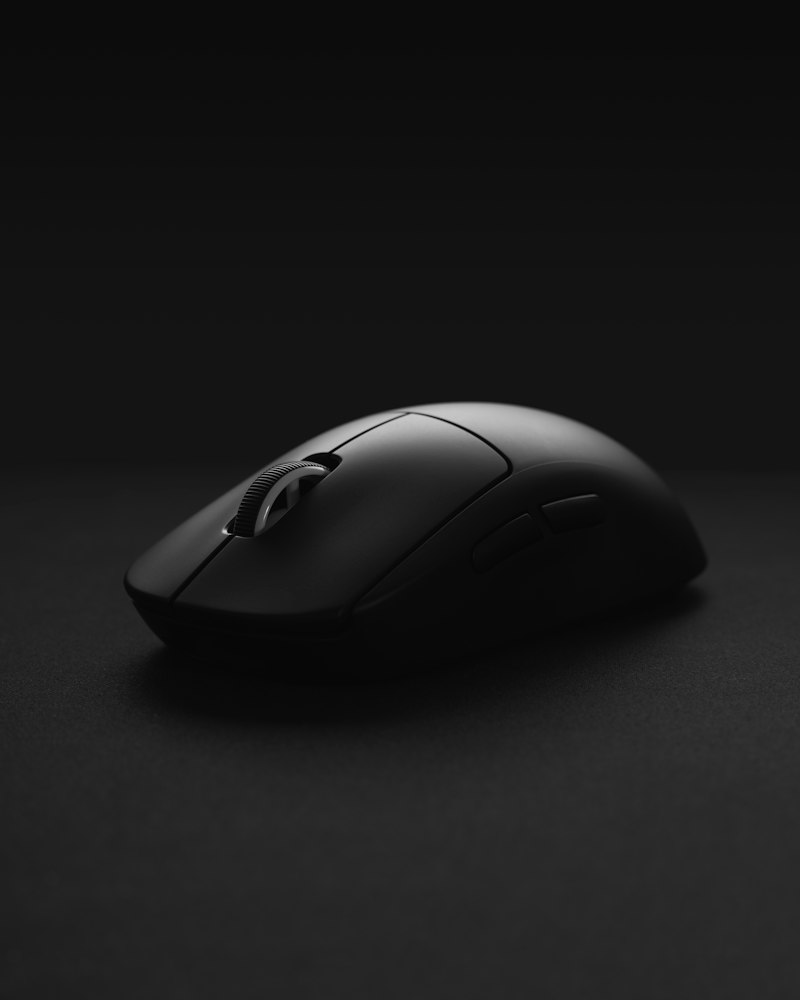
The mouse is where gaming actually happens: a sensor that tracks perfectly and a weight that fits your game are worth more than any RGB. And the good news is that great gear has never been this cheap. This is my comparison of the best value gaming mice of 2026, by price tier.
Looking for a productivity mouse instead? That’s a different list: best value wireless mouse.
Quick comparison
| Mouse | Price | Weight | Connection | Best for |
|---|---|---|---|---|
| Logitech G203 Lightsync | $30 | 85g | Wired | Starting cheap and right |
| Razer DeathAdder Essential | $35 | 96g | Wired | Big hands, tight budget |
| Logitech G305 Lightspeed | $45 | 99g | 2.4G | Reliable budget wireless |
| Razer Viper V3 HyperSpeed | $75 | 82g | 2.4G | Competitive sweet spot |
| Logitech G502 X | $80 | 89g | Wired | MMO/mixed use with buttons |
| Logitech G Pro X Superlight 2 | $160 | 60g | 2.4G | Competitive, no limit |
What matters in a gaming mouse
- Weight — Factor #1 in shooters: 50-80g for fast aim. More important than any DPI figure
- Sensor — Any modern Logitech/Razer sensor is enough. Avoid no-name mice with unidentified sensors
- Shape and grip — Palm, claw or fingertip: a mouse that doesn’t fit your hand is bad even at $150
- Connection — Serious-brand 2.4GHz = wired latency. Bluetooth is not for gaming
- Clicks and wheel — Optical (Razer) or hybrid (Logitech) switches last years without phantom double-clicks
Tier 1: $30-50 — Starting right
1. Logitech G203 Lightsync — Best under $35
Price: $30 · Rating: 4.5/5
The Logitech G203 has been the default “first gaming mouse” for years, and still is: a classic shape that fits almost every hand, a solid sensor and a build that lasts.
What we like
- $30 and it just works — No tricks
- Safe shape — Logitech’s classic, fits 90% of medium hands
- 6 programmable buttons + subtle RGB
What could improve
- 85g with cable — not a featherweight
- Rubber cable, not paracord
2. Logitech G305 Lightspeed — Budget wireless that performs
Price: $45 · Rating: 4.6/5
The Logitech G305 is the reference entry wireless: HERO sensor, Lightspeed receiver with wired-level latency and up to 250 hours on one AA battery. Cable-free desk on a budget? This one.
Tier 2: $60-90 — The sweet spot
3. Razer Viper V3 HyperSpeed — The sensible competitive pick
Price: $75 · Rating: 4.7/5
The Razer Viper V3 HyperSpeed gives you 90% of a pro’s mouse for half the price: 82 grams, HyperSpeed wireless, a high-end sensor and a symmetric shape that suits claw and fingertip grips.
Who it’s for / not for
- YES if you’re serious about shooters and want competitive wireless without spending $160
- NO if you palm-grip with a big hand — look at the G502 X or the DeathAdder
Verdict
The best price/performance balance on the market for competitive play. If you only read one recommendation, it’s this one.
See Razer Viper V3 HyperSpeed on Amazon →
4. Logitech G502 X — The all-rounder with buttons
Price: $80 · Rating: 4.6/5
The Logitech G502 X is gaming’s best-selling mouse for a reason: 13 programmable controls, an infinite-scroll wheel and a sculpted palm shape. For MMO, MOBA and anyone who also works with the same mouse, it’s unbeatable.
What could improve
- 89g — not for featherweight purists
- The shape is love-it-or-hate-it: try it if you can
See Logitech G502 X on Amazon →
Tier 3: $160 — Competitive, no limit
5. Logitech G Pro X Superlight 2 — The pro standard
Price: $160 · Rating: 4.8/5
The G Pro X Superlight 2 is the most-used mouse in professional esports: 60 grams, HERO 2 sensor, hybrid optical clicks and a safe shape that works for almost everyone. If you compete and budget isn’t the issue, it’s the no-risk buy.
What could improve
- The price: you pay for the last few grams and the pedigree
- No RGB or extra buttons — it’s a pure tool
See G Pro X Superlight 2 on Amazon →
6. Razer DeathAdder Essential — Shout-out for big hands
Price: $35 · Rating: 4.3/5
If you have a big hand and palm grip, the DeathAdder shape is legendary for a reason. The Essential version delivers it for $35.
See Razer DeathAdder Essential on Amazon →
Which one should you buy? Our verdict
- Best overall value: Razer Viper V3 HyperSpeed ($75) — competitive wireless at the right price
- Start at $30: Logitech G203
- Budget wireless: Logitech G305 ($45)
- MMO / mixed use: Logitech G502 X ($80)
- Competitive, no limit: G Pro X Superlight 2 ($160)
Pair it with a mechanical keyboard and a proper headset. Building the whole desk from scratch? See the gaming setup under $800 — and in July, check the Prime Day deals first.
Frequently asked questions
How much should you spend on a gaming mouse? ▼
The sweet spot is $50-90: flawless sensor, under 90 grams and reliable clicks. Under $35 there are worthy starters (G203), but with more basic sensors and more weight. Above $130 you're paying for fewer grams and higher polling that only serious competitors notice.
Wired or wireless gaming mouse? ▼
Modern 2.4GHz wireless from serious brands (Logitech Lightspeed, Razer HyperSpeed) matches wired latency — pros play wireless. Wired only wins on pure value: the same performance costs $30-40 less. Avoid gaming over Bluetooth: that latency you WILL feel.
How much should a gaming mouse weigh? ▼
For shooters, lighter is better: 50-80 grams is ideal — you flick and correct faster. For MMO/MOBA or mixed use, 80-100 grams gives more control and stability. Above 110 grams it feels heavy on flicks. Weight matters more than the sensor's max DPI.
Does DPI matter on a gaming mouse? ▼
Less than the marketing says. Most players use 400-1600 DPI; a '30,000 DPI' sensor doesn't make you better. What matters is sensor quality (no spin-outs, no lost tracking on fast swipes): any modern Logitech, Razer or Glorious sensor is more than enough.