Best Value Mechanical Keyboard 2026: 6 Picks, $60-$190
The $105 Keychron K8 Pro does 95% of what a $190 board does. 6 mechanicals from $60-$190: switches, hot-swap, and why stabilizers matter more.
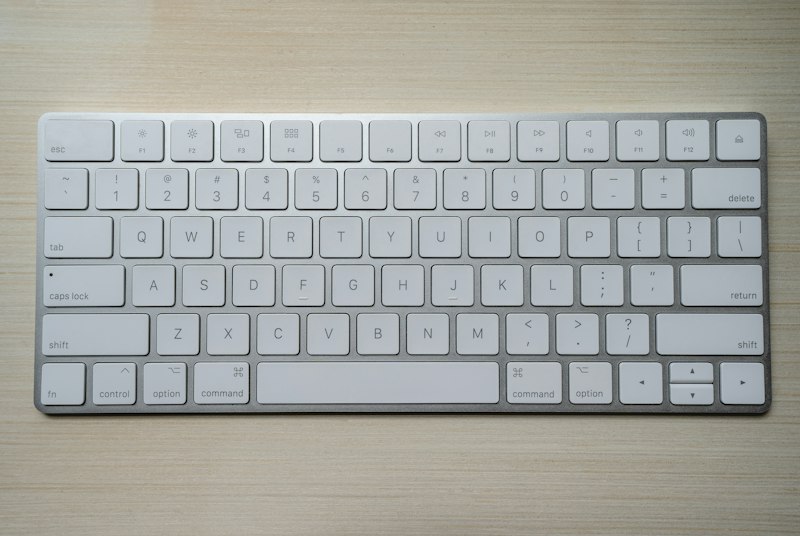
A mechanical keyboard is one of the best per-dollar upgrades in any setup: you touch it thousands of times a day, and a good switch changes how typing and gaming feel. But between $50 and $200 there’s a world of differences the spec sheets don’t explain. This is my comparison of the best value mechanical keyboards of 2026, by price tier.
Quick comparison
| Keyboard | Price | Layout | Connection | Hot-swap | Best for |
|---|---|---|---|---|---|
| Royal Kludge RK84 | $60 | 75% | BT + 2.4G + wired | Yes | Best value entry |
| Keychron K8 Pro | $105 | TKL | BT + wired | Yes | The sweet spot |
| Logitech G413 SE | $70 | Full | Wired | No | Simple gaming |
| Epomaker TH80 Pro | $95 | 75% | BT + 2.4G + wired | Yes | Premium feel on a budget |
| Keychron Q3 | $190 | TKL | Wired | Yes | Premium aluminum |
| Logitech MX Mechanical | $170 | Full/Mini | BT + Logi Bolt | No | Multi-device productivity |
What matters in a mechanical keyboard
- Switches — Red (linear, gaming), brown (tactile, typing), blue (clicky, loud). Decision #1
- Hot-swap — Change switches without soldering. Essential on your first board: fix mistakes without rebuying
- PBT keycaps — They don’t polish shiny over time like cheap ABS
- Stabilizers — What separates a solid spacebar from a rattly one. You notice it more than the switch
- Connection — Wired for competitive gaming; BT/2.4G for clean desks and multi-device
Tier 1: $60-95 — The serious entry point
1. Royal Kludge RK84 — Best under $65
Price: $60 · Rating: 4.5/5
The Royal Kludge RK84 is the gateway to a real mechanical: 75% layout with triple connection (BT, 2.4G and wired), hot-swap and a huge battery. Hard to ask for more at $60.
What we like
- Hot-swap at $60 — Very rare at this price
- Triple connection — BT for the tablet, 2.4G for the PC, wired for charging and gaming
- 75% layout — Compact without losing arrows or function keys
What could improve
- ABS keycaps — they get shiny over time (swap for PBT for ~$30)
- Stabilizers are just okay
- Software could be better
Verdict
The smart first buy. If the hobby bites later, hot-swap lets you upgrade piece by piece.
See Royal Kludge RK84 on Amazon →
2. Logitech G413 SE — Simple gaming with brand warranty
Price: $70 · Rating: 4.3/5
The Logitech G413 SE is the no-surprises option: tactile switches, brushed aluminum top plate and Logitech reliability. No hot-swap or wireless, but rock solid for gaming.
See Logitech G413 SE on Amazon →
Tier 2: $95-130 — The sweet spot
3. Keychron K8 Pro — The one I recommend to most people
Price: $105 · Rating: 4.8/5
The Keychron K8 Pro is the mechanical sweet spot in 2026: TKL, hot-swap, PBT keycaps, QMK/VIA (remap any key) and it works equally well on Windows and Mac.
What we like
- Hot-swap + PBT + QMK/VIA — The full package at a contained price
- TKL with multi-device BT — Work and gaming on the same board
- Great on Mac and Windows — Keycaps for both included
Who it’s for / not for
- YES if you want one good keyboard for years without entering the expensive hobby
- NO if you play wired competitive only and want 8K polling — look at dedicated gaming boards
Verdict
If you only read one recommendation: this one. It covers 95% of what a $190 board gives you.
See Keychron K8 Pro on Amazon →
4. Epomaker TH80 Pro — Best sound under $100
Price: $95 · Rating: 4.5/5
The Epomaker TH80 Pro targets people who care about feel and sound: gasket mount, internal foam and pre-lubed switches. It sounds “premium” without paying premium.
See Epomaker TH80 Pro on Amazon →
Tier 3: $160-200 — Premium you can feel
5. Logitech MX Mechanical — Multi-device productivity
Price: $170 · Rating: 4.6/5
The Logitech MX Mechanical is the mechanical built for work: low profile, quiet, switches between 3 devices at a keypress and pairs perfectly with the MX Master 3S (see our wireless mouse comparison). If you type 8h a day across PC and laptop, it’s the most comfortable on this list.
See Logitech MX Mechanical on Amazon →
6. Keychron Q3 — The aluminum premium
Price: $190 · Rating: 4.7/5
The Keychron Q3 is a CNC aluminum block with gasket mount, double gaskets and QMK/VIA. It’s the “forever” keyboard: weighs 4.4 lbs, sounds like an expensive typewriter and everything is replaceable.
What could improve
- Wired only — not for wireless minimalist setups
- 4.4 lbs: you won’t move it around
- For many, the K8 Pro delivers 95% for half the price
Which one should you buy? Our verdict
- Best overall value: Keychron K8 Pro ($105) — the sweet spot for almost everyone
- Entry under $65: Royal Kludge RK84 ($60)
- Best sound/feel under $100: Epomaker TH80 Pro ($95)
- 8h/day productivity: Logitech MX Mechanical ($170)
- Forever premium: Keychron Q3 ($190)
Complete the combo: a good keyboard performs better next to a matching gaming mouse and a proper headset. Building the whole desk? See the gaming setup under $800 — and if you’re buying in July, check the Prime Day deals first.
Frequently asked questions
How much should you spend on a mechanical keyboard? ▼
The sweet spot is $75-130: decent switches, solid build, wireless and hot-swap (swap switches without soldering). Under $55 there are worthy options but with ABS keycaps and mediocre stabilizers. Above $160 you pay for premium materials (aluminum, PBT, gasket mount) that are enjoyable but don't change the function.
Which switches should I pick: red, brown or blue? ▼
Red (linear) for gaming and shared offices: smooth and quiet. Brown (tactile) if you type a lot: you feel a small bump without the loud click. Blue (clicky) only if you work alone and love the sound — in an office or on stream they're annoying. If in doubt, brown: the best balance.
Is hot-swap worth it on a mechanical keyboard? ▼
Yes, especially on your first mechanical. Hot-swap lets you change switches without soldering: if reds don't convince you, you try browns for $25-35 instead of buying another keyboard. It also extends its life — a failing switch is replaced in seconds.
Full-size, TKL or 75% for work and gaming? ▼
TKL (no numpad) or 75% for most people: they free up 3-4 inches of desk for the mouse — key in gaming — and keep arrows and F1-F12. Full-size only if you use the numpad daily (accounting, heavy Excel). 60% sacrifices arrows: only for committed minimalists.